
Is Coinbase, MetaMask, or Trust Wallet Non-Custodial?
Is Coinbase non-custodial? The exchange account is custodial, while Coinbase Wallet, MetaMask, and Trust Wallet are self-custody apps. Here is what each means.
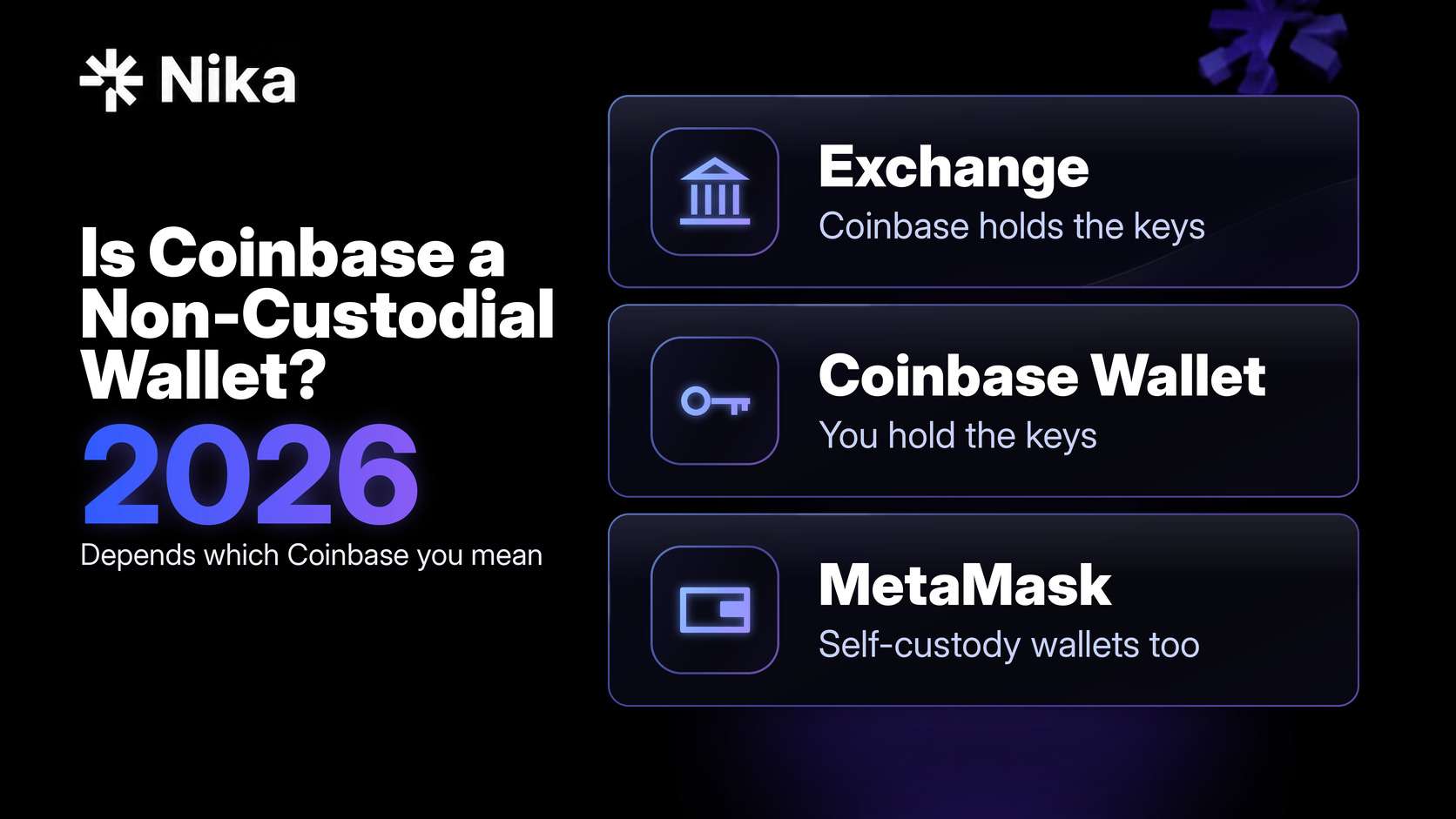
It depends which Coinbase you mean. A Coinbase exchange account is custodial: Coinbase keeps the private keys for the addresses that hold customer crypto. Coinbase Wallet (called the Base App from July 2025 to September 2026) is a separate self-custody product (Coinbase Wallet page). MetaMask and Trust Wallet are non-custodial wallets too.
So the three names in the question cover three different setups: a hosted account at a company, a self-custody app from that same company, and two independent self-custody apps. The optional cloud backups, social logins, and passkeys that these apps now offer in different combinations change how you recover access. They do not hand the company your keys, but they do add other services to your recovery plan.
If you are new to the vocabulary, start with What is a non-custodial wallet?, which explains custody from first principles. If you already know you want self-custody and are choosing a product, see Best non-custodial wallets.
Disclosure: This guide is published by Nika, a non-custodial trading app. We build a product in this category, so we are not neutral. Product claims below link to each company’s own documentation. Access to perpetuals and prediction markets is subject to the underlying protocols’ terms and availability.
The short version
- Coinbase exchange account: custodial. Under Coinbase’s US User Agreement (last updated 22 July 2026), Coinbase controls the private keys for the addresses where your balance sits, and it can suspend or restrict an account at its discretion.
- Coinbase Wallet: self-custody for its Smart wallet and Mnemonic wallet types. Coinbase says it cannot reach your recovery phrase, and you do not need a Coinbase account to use the app. Its help pages do not say how keys are held for the Email/social log-in (CDP) wallet.
- MetaMask: self-custody. The optional Google, Apple, or Telegram login stores an encrypted copy of your recovery phrase online, but decrypting it still requires a password only you know.
- Trust Wallet: self-custody. Keys are created on your device. The optional cloud backup sits in your own iCloud or Google Drive, encrypted with a password you choose.
- The useful question is not “custodial or not” in the abstract. It is: who can sign without you, and can you recover or leave without the provider’s help?
How to tell which side a wallet is on
Three checks settle almost every case. Run them on any product, including ours.
1. Who can sign a transaction without you? If the company can move your coins on its own, it has custody, whatever the app calls itself. If only key material you control can sign, it does not.
2. How do you get back in after losing your phone? A support team resetting your password is a sign the company holds the keys. A recovery phrase, a passkey, or an encrypted backup that only you can unlock points to self-custody. When recovery depends on a third party such as Apple, Google, or the wallet’s own servers, that is a dependency worth knowing about, but it is not the same as the company holding your keys.
3. Can you leave? If you can export a recovery phrase or private key and use it in a different wallet, you are not locked to one company’s software. If you cannot, your options shrink when the product changes, drops a network, or shuts down.
Coinbase’s own documents draw the same line. Its User Agreement says Coinbase keeps control of the private keys for exchange balances (Coinbase US User Agreement), while its Coinbase Wallet help page says Coinbase never has access to your recovery phrase, so it cannot move funds for you or help you regain access (Coinbase Help: recovery phrase). The three checks above apply the same idea to newer setups that use passkeys or social logins instead of a written phrase.
Coinbase vs Coinbase Wallet vs MetaMask vs Trust Wallet at a glance
| As documented in October 2026 | Coinbase exchange account (US) | Coinbase Wallet | MetaMask | Trust Wallet |
|---|---|---|---|---|
| Custody model | Custodial | Self-custody | Self-custody | Self-custody |
| Who controls the keys | Coinbase | You (Smart wallet and Mnemonic wallet) | You | You |
| Can the company sign for you? | Yes, it executes transfers on your instruction | Coinbase says it has no access to your recovery phrase; its help pages do not say for the Email/social log-in (CDP) wallet | MetaMask says it cannot access your phrase or funds | Trust Wallet says keys never reach its servers |
| Main backup | Account login and identity checks | Smart wallet: passkey plus optional recovery phrase. Email/social log-in (CDP) wallet: email or social account. Mnemonic wallet: 12-word phrase | Recovery phrase, or social login plus password | Recovery phrase, or passkey for SWIFT wallets |
| Optional online backup | Not applicable | Encrypted iCloud or Google Drive copy of the phrase (Mnemonic wallet), protected by your password | Encrypted phrase stored by MetaMask, unlockable only with your social login plus your password | Encrypted copy in your own iCloud or Google Drive, protected by your password |
| Company account required | Yes, with identity verification | No | No | No |
| If you lose every backup | Support can usually restore access after verification | Coinbase cannot restore a lost recovery phrase | MetaMask cannot restore it | Trust Wallet cannot restore it |
Each cell is drawn from the provider pages linked in the sections below and in Sources. Features differ by app version, platform, and region, and they change. Check the specific app you use.
Is Coinbase a non-custodial wallet?
No for the exchange account. Yes for Coinbase Wallet, the separate self-custody app, with one gap in Coinbase’s documentation covered below.
The Coinbase exchange account is custodial
When you buy crypto on Coinbase.com or in the main Coinbase app, your balance is a hosted account. Coinbase’s US User Agreement (last updated 22 July 2026) describes it in exactly those terms in section 2. Coinbase stores the private keys in a mix of online and offline systems, it may hold customer assets in shared addresses that it controls, and it keeps control of the keys for as long as your balance stays with it. You move funds by instructing Coinbase to send them.
The same agreement gives Coinbase broad room to act on an account. Section 6.10 allows it to suspend, restrict, or close access at its discretion, without having to explain why, while generally allowing you to withdraw remaining balances for 90 days after closure unless the law or a court order prevents it. Section 3.8 allows it to refuse or reverse transfers in cases such as suspected fraud or a government order.
There is a fair counterpoint. The current agreement also says that title to your assets stays with you, that customer assets are not Coinbase’s property, and that they are not subject to claims from Coinbase’s creditors (section 2.7.1). That is a stronger written position than an account that simply records an IOU. It is still custody: your access runs through Coinbase’s systems and policies.
Two scope notes. This describes the US agreement as of 22 July 2026. Coinbase entities in other regions publish their own terms, so read the agreement for your country. And custodial is not a criticism on its own. Password recovery, fraud monitoring, and a bank-style relationship are real features for many people. For a closer look at how an exchange relationship can start to resemble a bank, see Your exchange just became a bank.
Coinbase Wallet is self-custody
Coinbase’s wallet page presents Coinbase Wallet as a self-custodial wallet. The app carried a different name for about a year: Base announced the change on 16 July 2025, and the app returned to the Coinbase Wallet name in September 2026 (Decrypt). Coinbase’s US User Agreement lists Coinbase Wallet as an unhosted wallet service that is separate from your Coinbase account.
Coinbase’s wallet security page puts the custody point simply: the keys sit with the user, not with Coinbase, and the wallet is a separate product from Coinbase.com that does not require a Coinbase.com account.
Coinbase Help’s Supported assets and networks in Coinbase Wallet page lists three wallet types: Smart wallet, Email/social log-in (CDP) wallet, and Mnemonic wallet. It also says the classic wallet was set to close on 15 August 2026. Coinbase’s smart wallet page compares the same three types. Backup and recovery work differently in each type:
- Smart wallet. The wallet is a smart contract account created with and controlled by a passkey on your device rather than by a phrase (Coinbase Help: smart wallet). You can sign in with a passkey, an email code, or a recovery phrase (Coinbase Help: smart wallet sign-in). Adding a recovery phrase registers it as an extra signer on the contract, which costs a network fee on each chain where you use the wallet.
- Email/social log-in (CDP) wallet. You sign up with an email address or a social account instead of writing down a phrase or creating a passkey. Coinbase Help lists this type on its wallet types page, but Coinbase’s help pages do not explain how the keys for it are held or who besides you could sign with them.
- Mnemonic wallet. The app generates a 12-word phrase, and that phrase is the wallet: whoever holds it can sign, and Coinbase keeps no copy (Coinbase Help: recovery phrase). You can also save an encrypted copy to iCloud or Google Drive, locked with a password you choose. Forget that password and the cloud copy cannot be opened, so a written backup still matters.
What that means for custody: with the Smart wallet and Mnemonic wallet types, signing depends on a passkey or a phrase that you hold, not on Coinbase. A cloud-synced passkey does put your Apple, Google, or password-manager account in your recovery chain, so secure that account as carefully as the wallet. For the Email/social log-in (CDP) wallet, the documentation gives you no basis to answer the “who can sign without you” check. If you use it, confirm in the app which recovery and export options are linked before you hold meaningful funds there.
One more practical point: Coinbase Help lists networks that the wallet does not support after 15 August 2026, including Dogecoin, Litecoin, and zkSync Era, and tells affected users to import their recovery phrase into another wallet. That is the “can you leave” check working in practice.
Is MetaMask a non-custodial wallet?
Yes. MetaMask’s help centre describes it as self-custodial: you hold the Secret Recovery Phrase (SRP) and MetaMask cannot see it. That also means MetaMask has no way to restore or move your funds if you lose your SRP or password.
What changes with social login
MetaMask now lets you create a wallet with a Google, Apple, or Telegram account instead of writing the SRP down during setup. Its social login explainer describes how the backup works:
- Your device encrypts the SRP and MetaMask stores only the encrypted version.
- The key needed to decrypt it is derived from your password together with a secret that is split into pieces across several server nodes.
- Recovery needs both your social login and your password. The servers limit how many password guesses anyone can make.
- The full SRP exists in readable form only on your device, after you have logged in and entered the password.
For custody, the important part is the password. No single server, and not MetaMask or the login provider on their own, can rebuild your phrase without it. So social login is a backup method, not a shift of key control to MetaMask. The tradeoffs are different ones. If you lose the password, the online backup cannot be opened. And MetaMask notes that your social account becomes linked to your wallet addresses, which is a privacy cost some users will not want.
This is also not MPC signing. The split pieces protect a backup of the phrase. When you sign a transaction, your device uses the complete key, as it would in any phrase-based wallet.
The “software you still trust” objection
A common argument online is that MetaMask is not truly non-custodial because MetaMask ships the code that handles your keys, so a malicious or buggy update could in theory reach them. That risk is real, and it applies to every software wallet, including Nika. It is a software-trust risk rather than a custody one. Custody asks whether a company holds a key that lets it move your funds. Software trust asks whether the code on your device behaves as it should. A hardware wallet reduces the second risk by keeping the key off the internet-connected device.
Is Trust Wallet a non-custodial wallet?
Yes. Trust Wallet’s security explainer (published August 2026) says the recovery phrase and private keys are created and kept on your device, there is no Trust Wallet account or server-side password, and Trust Wallet cannot reset a lost phrase. Its glossary entry states that Trust Wallet cannot freeze an account or recover a wallet if the phrase is lost.
Two optional features change how you recover access:
- Encrypted Cloud Backup. If you switch it on, an encrypted copy of your phrase goes to your own iCloud or Google Drive, not to Trust Wallet’s servers, and only a password you set can decrypt it. Trust Wallet cannot reset that password.
- SWIFT wallets. Trust Wallet’s SWIFT guide (updated July 2026) describes a wallet secured by a passkey instead of a 12-word phrase. The passkey syncs through your Apple or Google account. Lose access to that cloud account and you need Apple’s or Google’s own account recovery process. Passkeys also do not currently move between the Apple and Android ecosystems.
Neither feature gives Trust Wallet your keys. Both move part of your recovery plan into Apple’s or Google’s account systems, which is a dependency to plan for.
Trust Wallet’s own pages describe support for 100+ blockchains. Breadth is useful, but it also means more lookalike tokens and networks to double-check before you send.
Do cloud backups, social logins, and passkeys make a wallet custodial?
Not by themselves. These features answer a different question: how you get back in, not who can sign. Here is how to read each one:
| Feature | Who can sign without you? | What you now depend on |
|---|---|---|
| Written recovery phrase only | Nobody | Your own storage of the phrase |
| Encrypted cloud copy of the phrase (Coinbase Wallet Mnemonic wallet, Trust Wallet) | Nobody, unless they also have your backup password | Your cloud account and your backup password |
| Social login backup (MetaMask) | Nobody, unless they also have your password | Your social account, your password, and MetaMask’s backup servers being available |
| Cloud-synced passkey (Coinbase Wallet Smart wallet, Trust Wallet SWIFT) | Nobody without your passkey | Your Apple, Google, or password-manager account |
| Coinbase Wallet Email/social log-in (CDP) wallet | Not stated on Coinbase’s help pages | Your email or social account at minimum |
| Hosted exchange account (Coinbase) | The exchange | The exchange’s systems, policies, and support |
A design moves into custodial territory when the company can sign alone, or when it holds enough of the key, or the backups, to rebuild it without you. Some wallets split signing keys between your device and the provider using multi-party computation (MPC). Whether those wallets count as self-custody depends on who holds enough shares to sign and whether you can recover or export without the provider. We cover how to apply that test in Is an MPC wallet non-custodial?. None of the three self-custody apps covered here describes MPC signing for its standard wallet on the help pages linked above.
How to check your own wallet in five minutes
- Find the backup screen. In settings, look for the recovery phrase, private key export, passkey, or cloud backup option. Note which ones you have actually set up.
- Check the recovery path. If the only way back in is “contact support”, treat the balance as held by a company.
- Check for a usable export. You do not need to export anything today. Just confirm the option exists and what it gives you: a full phrase or private key you can import elsewhere.
- Secure the accounts your backup depends on. If you use a cloud backup, passkey, or social login, that Apple, Google, or Telegram account now protects your money. Turn on strong two-factor authentication for it.
- Send a small test. Before you move a large amount into any wallet, send a small amount in and back out. Coinbase’s own agreement recommends the same practice for transfers.
What the custody label does not tell you
Knowing who holds the key does not tell you whether you are safe.
- Approvals and phishing. Most self-custody losses involve the owner signing something malicious. No custody model protects you from a transaction you approved.
- Wrong address or wrong network. Onchain transfers are generally final. A custodial support desk may sometimes help with recovery for a fee, but a self-custody wallet has no one to call.
- Backup loss. Lose the phrase and every backup, and the funds are gone. Lose only the cloud password for an encrypted backup, and that backup is gone too.
- Company risk. A custodial account carries the risk of restriction, outages, or business failure. Clearer written protections reduce some of that risk but do not remove it.
- Software risk. Every software wallet relies on code you did not write. Keep apps updated from official stores and consider hardware for long-term storage.
Which should you use?
There is no single right answer. The right fit depends on what you need.
- You want to buy with a bank transfer and keep things simple. A Coinbase exchange account is a reasonable choice, and password recovery is a genuine benefit while you learn. Keep in mind that the balance is held for you, not by you.
- You use Coinbase and want self-custody from the same company. Coinbase Wallet, with a recovery phrase or a passkey you control. You do not need a Coinbase account to use it.
- You use browser-based onchain apps. MetaMask is a common choice. Choose the classic phrase setup if you want to keep your wallet separate from your social identity.
- You want one mobile wallet across many chains. Trust Wallet, with either a written phrase or an encrypted backup you control.
- You hold a large balance you rarely move. A hardware wallet is the more conservative choice for storage, whichever app you use day to day.
Many people use more than one: an exchange account for the fiat side and a self-custody wallet for funds they want to hold or use onchain.
Where Nika fits
Nika is a self-custody app, and the same three checks apply to it.
Nika’s site says you hold the keys and that Nika never takes custody of your funds. Nika’s wallets use Privy as the wallet infrastructure (key-management) provider, and Nika does not hold users’ private keys. You can create an account with email, Google, or Apple without writing down or managing a seed phrase. Privy’s embedded wallets let users keep custody without managing seed phrases directly, and The Block describes Privy’s wallet stack as abstracting away seed phrases. On the “can you leave” check: for Nika’s wallets, both EVM and Solana private keys are exportable (Privy’s export documentation). Exportability gives you a way to use the underlying wallet outside Nika. Per Privy’s documentation, wallets created in an app can only be exported in a web environment, so you may need to use Nika on the web to export your wallet. Protect an exported key as carefully as a seed phrase. On the “how do you get back in” check, secure the email, Google, or Apple account you sign in with.
Nika brings spot trading, perpetuals, and prediction markets into one app, alongside portfolio tools. Access to perpetuals and prediction markets is subject to the underlying protocols’ terms and availability. Nika AI has no separate AI subscription fee; you pay the standard fees for the transaction or underlying protocol. Review the fees shown in the app before you confirm a trade.
Nika is not a hardware wallet. For long-term storage of a large balance, hardware is still the better tool.
Related reading
- What is a non-custodial wallet? explains custody, recovery, and the main risks in plain terms.
- Best non-custodial wallets compares hardware and software wallets by use case.
- Is an MPC wallet non-custodial? explains key shares, threshold signatures, and the exit test.
- Best DeFi Trading Platforms in 2026 covers where a self-custody wallet fits into onchain trading.
FAQ
Is Coinbase a non-custodial wallet?
The Coinbase exchange account is custodial: under its US User Agreement, Coinbase controls the private keys for the addresses that hold customer assets. Coinbase Wallet is a separate self-custody product. Coinbase does not hold the keys for its Smart wallet and Mnemonic wallet types, and its help pages do not say how keys are held for the Email/social log-in (CDP) wallet.
Does Coinbase offer a non-custodial wallet?
Yes. Coinbase Wallet is self-custody. You do not need a Coinbase.com account to use it, and Coinbase cannot restore a recovery phrase you lose.
Is MetaMask a self-custodial wallet?
Yes. You hold the Secret Recovery Phrase. If you sign up with Google, Apple, or Telegram, MetaMask stores an encrypted backup of your phrase that only your social login plus your password can unlock, so MetaMask still cannot access your funds.
Is Trust Wallet custodial or non-custodial?
Non-custodial. Keys are created on your device and are not sent to Trust Wallet’s servers. Optional encrypted cloud backups go to your own iCloud or Google Drive, and SWIFT wallets use a passkey synced through your Apple or Google account.
Does using a cloud backup make my wallet custodial?
No, as long as the backup is encrypted with a password only you know and the wallet provider cannot decrypt it. It does make your cloud account and that password part of your recovery plan, so protect both.
Can Coinbase freeze my Coinbase Wallet?
Coinbase does not hold the keys to a Mnemonic wallet or Smart wallet, so it cannot move the funds at that address. It can still change or stop supporting the app or a network, which is why keeping an exportable backup matters. An exchange account is different: the User Agreement lets Coinbase suspend or restrict it.
Can I lose my crypto with a non-custodial wallet?
Yes. If you lose your recovery phrase and every other backup, no company can restore access. Approving a malicious transaction can also drain a wallet without anyone ever seeing your phrase.
Does the IRS see transactions in a self-custody wallet?
Onchain transactions are public, so self-custody is not anonymity. US custodial brokers such as Coinbase report certain sales on Form 1099-DA, starting with transactions on or after 1 January 2025. A separate rule that would have extended broker reporting to certain DeFi platforms was overturned by Congress on 10 April 2025. You remain responsible for reporting your own activity. Ask a tax professional about your situation.
Sources
- Coinbase US User Agreement, last updated 22 July 2026 (sections 2, 3.8, 6.10)
- Coinbase: Coinbase Wallet (self-custodial wallet)
- Decrypt: Base App renamed back to Coinbase Wallet, September 2026
- Base: A New Day One, 16 July 2025 (Coinbase Wallet renamed the Base App)
- Coinbase: Coinbase Wallet security (keys held by the user; separate from Coinbase.com)
- Coinbase Help: Supported assets and networks in Coinbase Wallet
- Coinbase Help: Coinbase Wallet recovery phrase and encrypted cloud backup
- Coinbase Help: Coinbase Wallet smart wallet
- Coinbase Help: Coinbase Wallet smart wallet sign-in
- Coinbase Help: recover your Coinbase Wallet smart wallet
- MetaMask Help: what a self-custodial wallet is
- MetaMask Help: how social login works
- Trust Wallet: Is Trust Wallet safe? (August 2026)
- Trust Wallet glossary: non-custodial wallet
- Trust Wallet: SWIFT passkeys and recoverability (updated July 2026)
- Trust Wallet: product overview (100+ blockchains)
- IRS: final broker reporting regulations and Form 1099-DA
- Public Law 119-5, 10 April 2025
- Nika homepage
- Nika Trade (account creation)
- Nika AI (no separate AI subscription fee; standard transaction or protocol fees apply)
- Privy docs: user wallets (non-custodial embedded wallets and key management)
- Privy docs: wallet export (EVM and Solana private keys)
- The Block: Stripe to buy Privy, June 2025
Explore self-custody with Nika
If you want a self-custody app that also brings spot, perps, and prediction markets into one interface, open Nika and check which products are available where you live. Access to perpetuals and prediction markets is subject to the underlying protocols’ terms and availability.
This article is for informational purposes and is not financial, legal, or tax advice. Self-custody means you are responsible for your keys and recovery materials; lost keys can mean lost funds. Transactions on public blockchains are typically final. Wallet features, product names, terms, and fees change; confirm current details with each provider before you move funds.
