
How to Check a Token Contract Address
Learn how to match a token's network and contract or mint address, use block explorers, and spot lookalike tokens before trading on Nika.
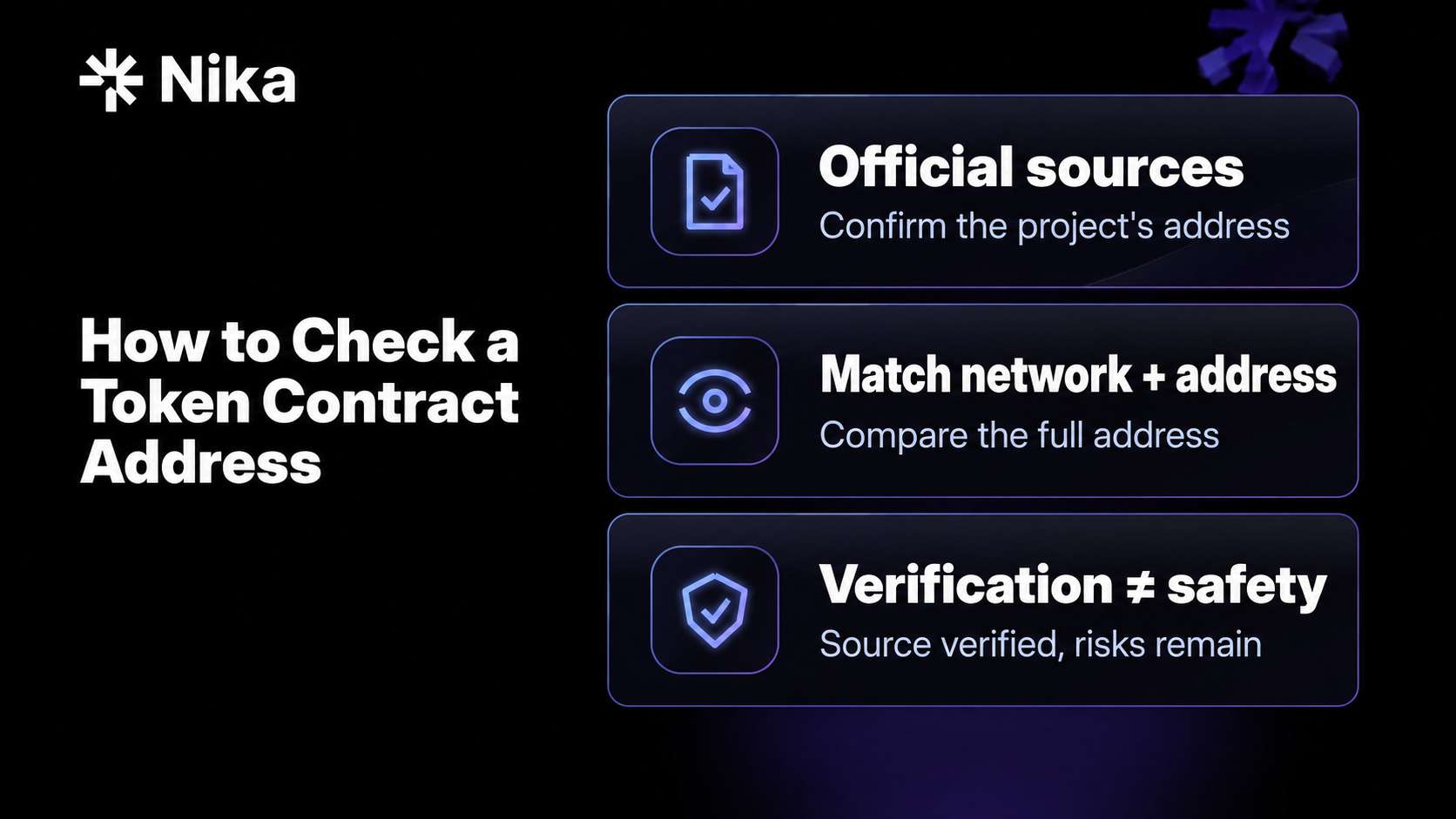
To check a token, match its network and full contract address against the project’s official sources. On Solana, compare the token’s mint address instead. Names, symbols, and logos can be copied, so searching by ticker alone is not enough.
The network matters just as much as the address. An address identifies a token on a particular network; the same address on another chain does not establish that you are looking at the same asset. A project may also publish several addresses for native, bridged, or wrapped versions of its token.
Once you have confirmed the identity, use a block explorer to investigate the token’s code or authorities, warnings, liquidity, and holder distribution. These are separate risk checks: finding the correct token does not establish that it is safe or a good investment.
The 30-second answer
- Find the official address for the exact network. Use the project’s authentic website or documentation, reached through a trusted URL.
- Compare the full address. Check every character against the token you intend to trade, rather than relying on its name, symbol, logo, or a shortened address.
- Open the correct block explorer. Paste the address into the explorer for that network. Looking up an address does not require connecting a wallet or signing a transaction.
- Review the relevant risk signals. On EVM chains, inspect source verification and any proxy implementation. On Solana, inspect the mint, token program, and relevant authorities or extensions. Review warnings, liquidity, and concentration on either network.
- Pause if something does not match or you cannot establish what you are buying. Resolve conflicting sources before trading.
A matching address confirms identity, not safety. A verified contract confirms a source-code match, not an audit or endorsement.
For more on controlling the assets you hold, see what a non-custodial wallet is. For why a familiar ticker can represent a different product, see what a tokenized stock is.
What is a token contract address?
On Ethereum and other EVM chains, a fungible token is commonly implemented through an ERC-20 smart contract. Its contract address, together with the network, identifies that token.
On Solana, tokens are identified by a mint address. A mint is an account managed by a token program, rather than a separate ERC-20-style contract deployed for each token. Do not confuse the mint address with your personal token account or the address of a liquidity pool.
Native network assets, such as ETH on Ethereum and SOL on Solana, do not have token contract or mint addresses in the same way. Wrapped versions are separate tokens with their own addresses.
Names and symbols are not unique. As ethereum.org’s scam-token guide explains, a new contract can reuse a legitimate token’s name and symbol. The reliable identity check is the official address on the intended network.
How to find an address from trusted sources
Start with the project’s authentic website or documentation and find its published addresses by network. Check the domain carefully; a convincing copy of a website can publish an attacker’s address. A familiar account or verification badge alone is not enough, because accounts can be impersonated or compromised.
Aggregators such as CoinGecko and CoinMarketCap can provide a useful independent cross-check. If an aggregator and the project’s documentation disagree, pause. Check whether the difference reflects another network, a bridged token, an announced migration, an outdated listing, or a compromised source. Do not automatically choose either address until the discrepancy is resolved.
Do not use these as your sole source:
- Search ads or the first result for a ticker
- Links in direct messages, unsolicited airdrop emails, or reply threads
- A token that appeared in your wallet unexpectedly
- Screenshots or shortened addresses that you cannot independently verify
- An address copied from transaction history without checking what it represents
MetaMask’s contract-address guide explains how to find token addresses using project information and explorers.
How to check a token on an EVM block explorer
Use the explorer for the token’s network. Etherscan covers Ethereum; BaseScan covers Base; Arbiscan covers Arbitrum. Navigate through a trusted link rather than a sponsored result.
Paste the full contract address and work through these checks:
- Match the network and full address. The page’s name and symbol are supporting context, not proof of identity. Compare the address against the official source and the token selected for your trade.
- Inspect the Contract tab. Check whether the source code is verified. If the explorer identifies a proxy, inspect its linked implementation as well.
- Look for warnings. Etherscan can display reputation labels such as Suspicious, Unsafe, or Spam. An absent warning is not a clean bill of health; the token may not have been assessed.
- Review liquidity and holders. Use the explorer alongside relevant pool or market data. Check the actual trading pair, liquidity depth, price impact, and meaningful supply concentration.
You can perform these checks without signing anything. Do not use an explorer’s Write Contract functions just to identify a token.
Etherscan’s safe-interaction guidance covers source verification, warning signals, spending approvals, and transaction simulations.
How the checks differ on Solana
On a Solana explorer, look up the mint address published for the token. Confirm that you are viewing the intended network and that the entire mint address matches.
Then inspect the token’s configuration:
- Token program: Identify whether it uses the original Token Program or the Token-2022 program.
- Mint authority: An active mint authority can authorize additional supply. Check whether that power is consistent with the project’s published design.
- Freeze authority: An active freeze authority can freeze token accounts, preventing transfers. Understand who controls it and why it exists.
- Token-2022 extensions: Where present, review features such as transfer fees, transfer hooks, or permanent delegates that can affect how the token behaves.
- Liquidity and concentration: Investigate meaningful market depth and the largest holders, just as you would on an EVM chain.
These powers are not automatic proof of a scam. Some legitimate issuers deliberately retain them. What matters is understanding the permissions and whether they match the asset you intended to buy.
An Etherscan-style verified-source check is not the equivalent of checking a Solana mint. Solana’s token documentation explains the distinction between token programs, mint accounts, and individual token accounts; its extensions documentation describes additional Token-2022 capabilities.
What a verified contract proves
For an EVM contract, source verification establishes that the published source compiles to the deployed bytecode under the relevant settings. It makes the code available for inspection. It does not establish that the code is harmless, audited, or suitable for your trade.
A verified contract can still include restrictions on transfers or sales, administrator-controlled settings, minting powers, or other behavior you did not expect. CertiK’s honeypot research documents designs that allow purchases while restricting sales.
Upgradeable contracts need another check. A proxy can forward calls to a separate implementation contract. Verification of the proxy alone does not establish that the implementation is verified or safe. Authorized upgrades may change the token’s behavior while its address remains the same. Review the implementation and who can authorize upgrades where applicable. Etherscan explains these structures in its proxy-contract guide.
Treat missing source verification as a reason for caution and further investigation, rather than proof that a token is fraudulent. For a beginner who cannot assess the behavior, pausing is a sensible choice.
What liquidity and holder counts show
Liquidity affects how easily a trade can execute and how much it can move the price. A token with little usable liquidity may be difficult or expensive to exit, whether or not it is a scam.
Check the pool’s actual assets, trading depth, and the price impact of your intended trade. A headline liquidity figure does not establish that the assets are valuable, that you can sell, or that liquidity will remain available. Understand who can withdraw it and any lock conditions. Locked liquidity alone does not eliminate token-contract risks.
Holder counts also need context. Tokens can be distributed across many addresses controlled by one person, and unsolicited distributions can inflate the count. Thousands of holders do not establish thousands of independent investors.
Inspect the largest balances, but distinguish between individual wallets and pools, exchanges, bridges, treasury accounts, burn addresses, or vesting contracts. Each has different implications for control and potential selling pressure.
Third-party scanners can help flag known patterns. Their coverage, data, and simulations can be incomplete; a missing warning or favorable score is not an endorsement.
Which checks establish what?
| Check | What it establishes | What it does not establish |
|---|---|---|
| Network and full address match authentic project documentation | The token matches the address the project publishes for that network | That the project is honest, its sources are uncompromised, or the token is safe |
| Explorer displays the address you entered | You are inspecting that address on the selected network | That it belongs to the intended project without an independent match |
| EVM contract source is verified | The published source matches the deployed code under the verification process | That it was audited or has no malicious behavior; a proxy may require separate implementation checks |
| Solana mint authorities and extensions are inspected | You can identify relevant configured powers and features | That those powers will be used responsibly |
| A token has usable market liquidity | There are assets available for trading at the time checked | That you can always sell or that liquidity will remain |
| Multiple addresses show token balances | The displayed balances are distributed across addresses | That holders are independent or supply is meaningfully decentralized |
| No warning label is displayed | The explorer currently shows no such warning | That the token has been reviewed or is safe |
What to do if you already bought the wrong token
Pause before signing further transactions, particularly through unfamiliar sites. A completed onchain transaction generally cannot be reversed by a wallet provider or trading interface.
Review the permissions you actually granted. In an ERC-20 swap, a spending approval generally authorizes a spender, such as a DEX router, to use the input token you are selling. It does not automatically authorize the token you receive to spend unrelated assets. Simply receiving an unsolicited token does not itself grant that permission.
Check the approved asset, spender address, and remaining allowance. Revoke unnecessary or suspicious approvals through a trusted tool. Revoke.cash’s approvals guide explains the ERC-20 allowance model. Solana uses a different permissions model; review relevant account delegates and permissions using tools that support that network.
Revoking an allowance does not recover lost funds or make a malicious token sellable. If sales fail, investigate the reason before retrying. Do not follow a token’s embedded links or pay someone promising to unlock it. Leave unsolicited tokens alone rather than attempting to claim, swap, or redeem them through unfamiliar sites.
Checking a token before trading on Nika
Nika brings spot trading, perpetuals, yield, prediction markets, and portfolio tools into one non-custodial app. It reduces the need to move between separate trading apps and wallet interfaces to explore markets and manage your portfolio.
When selecting a spot token on Nika, use this workflow:
- Find the official address for the network you intend to use.
- Confirm the selected token’s network and full contract or mint address, using token details or an explorer link where available. If you cannot establish the address, pause before confirming the trade.
- Compare that full address with the official source, then complete the relevant EVM or Solana checks above.
- Review the transaction quote, including applicable fees, price impact, and network costs, before confirming.
These contract-address checks concern onchain spot tokens. Perpetual contracts and prediction-market positions require their own market and instrument checks.
Nika’s onboarding removes the need to set up a separate wallet or write down a seed phrase to get started. You can create an account with email, Google, or Apple. Nika uses Privy for its embedded EVM and Solana wallets, and both wallets’ private keys are exportable for use with compatible external wallet software. Nika does not hold users’ private keys. Privy’s wallet-export documentation explains the export functionality. Protect your login methods and any exported key.
Simple onboarding and control of your wallet make managing assets easier; they do not change the permissions written into a token. A token’s availability through a trading interface should not be treated as an audit or a guarantee of safety.
Frequently asked questions
How do I check a token’s contract address before trading on Nika?
Find the project’s official address for the exact network, then compare it with the full address of the token you intend to trade. Open that address in the correct explorer and review the relevant code or authority checks, warnings, liquidity, and holder distribution. For Solana tokens, compare the mint address.
Does a verified contract mean the token is safe?
No. Source verification establishes a match between published source and deployed code. It does not establish an audit or rule out malicious logic. With a proxy, the linked implementation and upgrade permissions also matter.
What if the project and an aggregator list different addresses?
Pause until you resolve the discrepancy. Check the network, native versus bridged versions, migration announcements, and whether either source is outdated or compromised. Do not automatically trust one address because its name or logo looks correct.
Can the same contract address appear on different networks?
Yes. Always identify a token using both the network and its full address. A matching address on another network does not by itself establish the same issuer, asset, or contract behavior.
What is the equivalent of a contract address on Solana?
For an SPL token, it is the mint address. The mint account identifies the token; a token account holds a balance of that token for an owner. They serve different purposes.
What should I do if I bought a scam token?
Pause further interactions and review the asset and spender permissions you granted. Revoke unnecessary or suspicious permissions using a trusted, network-compatible tool. Revocation cannot reverse a completed trade or remove restrictions in the scam token.
Do I need a seed phrase to use Nika?
No. You can get started with email, Google, or Apple. Nika uses Privy for embedded EVM and Solana wallets, and both wallets’ private keys are exportable for use with compatible external wallet software.
Sources
- ethereum.org: How to identify scam tokens
- ethereum.org: Verifying smart contracts
- Etherscan: How to safely interact with smart contracts
- Etherscan: Types of proxy contracts
- Solana docs: Tokens
- Solana docs: Token extensions
- CertiK: Honeypot scams
- MetaMask: How to find a token contract address
- Revoke.cash: What are token approvals?
- Privy docs: Export a wallet
Source references reviewed on 16 October 2026. Token configurations, market conditions, and feature availability can change.
Explore Nika
Trade and manage your portfolio in one non-custodial app. Explore spot tokens, perpetuals, yield, and prediction markets with simple onboarding and exportable EVM and Solana wallets. Asset and feature availability depends on your jurisdiction and the applicable issuer or protocol terms.
